> ## Documentation Index
> Fetch the complete documentation index at: https://docs.ducky.wiki/llms.txt
> Use this file to discover all available pages before exploring further.

# Introduction

> Get to know the concepts and systems that power Ducky Radio

<Warning>
  Ducky Radio is self-hosted software and intended for advanced users. Technical support will not be provided beyond major bug fixes.
</Warning>

### Glossary

<AccordionGroup>
  <Accordion title="Provider">
    Provider refers to one of three compatible platforms that work with Ducky Radio.

    The three available providers are `Cider`, `Last.FM`, and `Icecast`
  </Accordion>

  <Accordion title="Browser Overlay">
    This refers to a webpage that can be displayed as a **Browser Source** within broadcasting software (i.e. OBS Studio)

    Usually used to display "widgets" on a user's stream.
  </Accordion>

  <Accordion title="Event">
    Ducky Radio exposes a Websocket server that can be used to listen for track change events.
  </Accordion>

  <Accordion title="Cider">
    [<Icon icon="https://cider.sh/CC24-transparent.svg" /> Cider](https://cider.sh) is a third-party Apple Music client for Windows, macOS, and Linux.

    Cider is the backbone of the Apple Music portion of Ducky Radio, because it exposes a local HTTP server.

    Cider is owned and operated by [<Icon icon="github" /> Cider Collective](https://github.com/ciderapp/)
  </Accordion>

  <Accordion title="Icecast">
    [<Icon icon="https://mintcdn.com/ducky-c8b7b49a/vjKpnDr0MIV4PmvF/images/icecast.png?fit=max&auto=format&n=vjKpnDr0MIV4PmvF&q=85&s=399a9770b513aad9f64786ae56b11808" width="128" height="128" data-path="images/icecast.png" /> Icecast](https://icecast.org) is a streaming media (audio/video) server.

    Icecast is owned and operated by [<Icon icon="github" /> the xiph open source community](https://github.com/xiph/)
  </Accordion>
</AccordionGroup>

<Card title="Ready to Get Going?" icon="download" cta="View Installation Guide" href="installation">
  Install and run Ducky Radio to get Now Playing everywhere!
</Card>

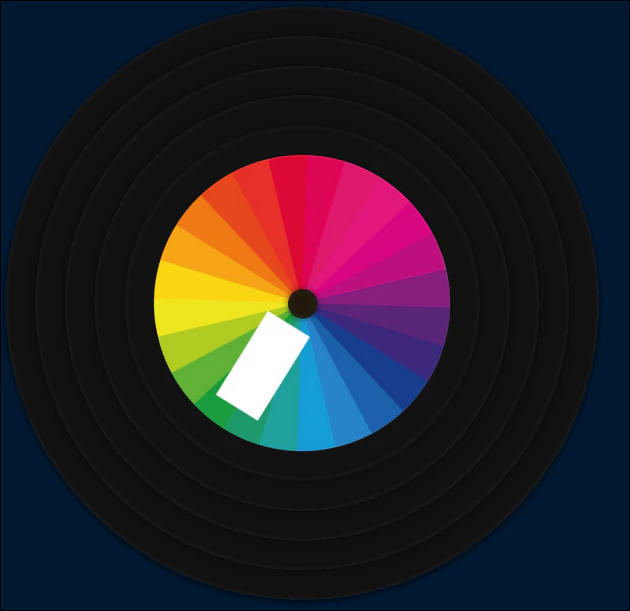
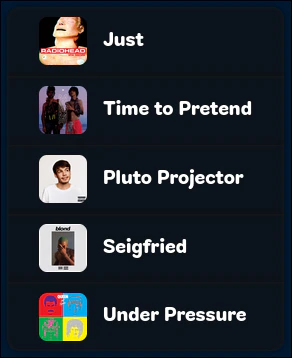
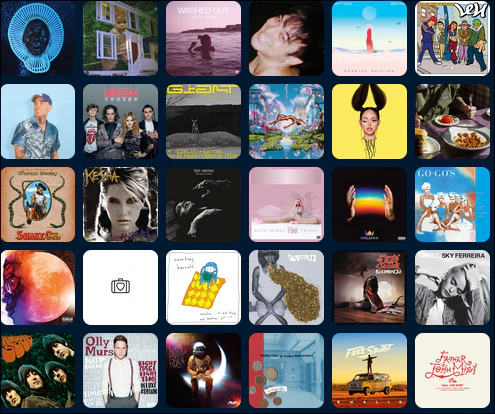
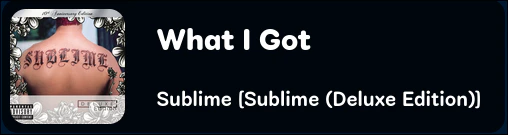
### Screenshots

##### Blue background is removed when used as a browser source
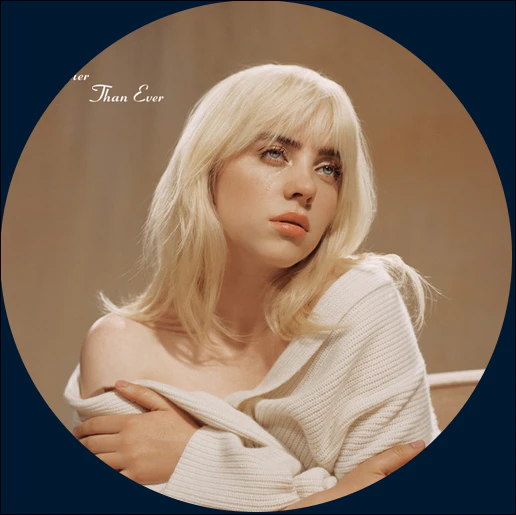
<Frame caption="Cover Art Overlay (Circlular)">
  <img src="https://mintcdn.com/ducky-c8b7b49a/vjKpnDr0MIV4PmvF/images/duckyradio_screenshots/coverart.png?fit=max&auto=format&n=vjKpnDr0MIV4PmvF&q=85&s=21eb3f0403c435c128f6869d03c453dc" width="516" height="515" data-path="images/duckyradio_screenshots/coverart.png" />
</Frame>

<Frame caption="Now Playing Vinyl Overlay">
  <img src="https://mintcdn.com/ducky-c8b7b49a/vjKpnDr0MIV4PmvF/images/duckyradio_screenshots/vinyl.png?fit=max&auto=format&n=vjKpnDr0MIV4PmvF&q=85&s=30b6a349b2da16b741a805436487cbe8" width="630" height="611" data-path="images/duckyradio_screenshots/vinyl.png" />
</Frame>

<Frame caption="Last 5 Tracks Overlay">
  <img src="https://mintcdn.com/ducky-c8b7b49a/vjKpnDr0MIV4PmvF/images/duckyradio_screenshots/history.png?fit=max&auto=format&n=vjKpnDr0MIV4PmvF&q=85&s=dabff0177dba74da2026e69afee04a4c" width="292" height="358" data-path="images/duckyradio_screenshots/history.png" />
</Frame>

<Frame caption="Cover Art Grid Overlay">
  <img src="https://mintcdn.com/ducky-c8b7b49a/vjKpnDr0MIV4PmvF/images/duckyradio_screenshots/covergrid.png?fit=max&auto=format&n=vjKpnDr0MIV4PmvF&q=85&s=fe1dc789af943c5a64c31490642861ba" width="495" height="414" data-path="images/duckyradio_screenshots/covergrid.png" />
</Frame>

<Frame caption="Now Playing Card Overlay">
  <img src="https://mintcdn.com/ducky-c8b7b49a/vjKpnDr0MIV4PmvF/images/duckyradio_screenshots/nowplaying.png?fit=max&auto=format&n=vjKpnDr0MIV4PmvF&q=85&s=eb1e4cef2a8ee39805807616182bd4df" width="508" height="135" data-path="images/duckyradio_screenshots/nowplaying.png" />
</Frame>